Payment reminders
When an invoice is overdue, which stages there are and how much Invobookz does for you — from “just tell me” to “send it myself”.
Last checked against the program: 10/10/2026
When an invoice is due for a reminder
Reminders go out for a finalised, sent, unpaid invoice with a due date. The due date is the invoice date plus the customer’s payment terms — or your company’s.
An invoice that was never sent is not overdue — the customer never received it. If you handed it over another way, click Mark as sent on the invoice.
Drafts, cancelled invoices, credit notes and paid invoices are never chased.
The three stages
| Stage | default | new deadline |
|---|---|---|
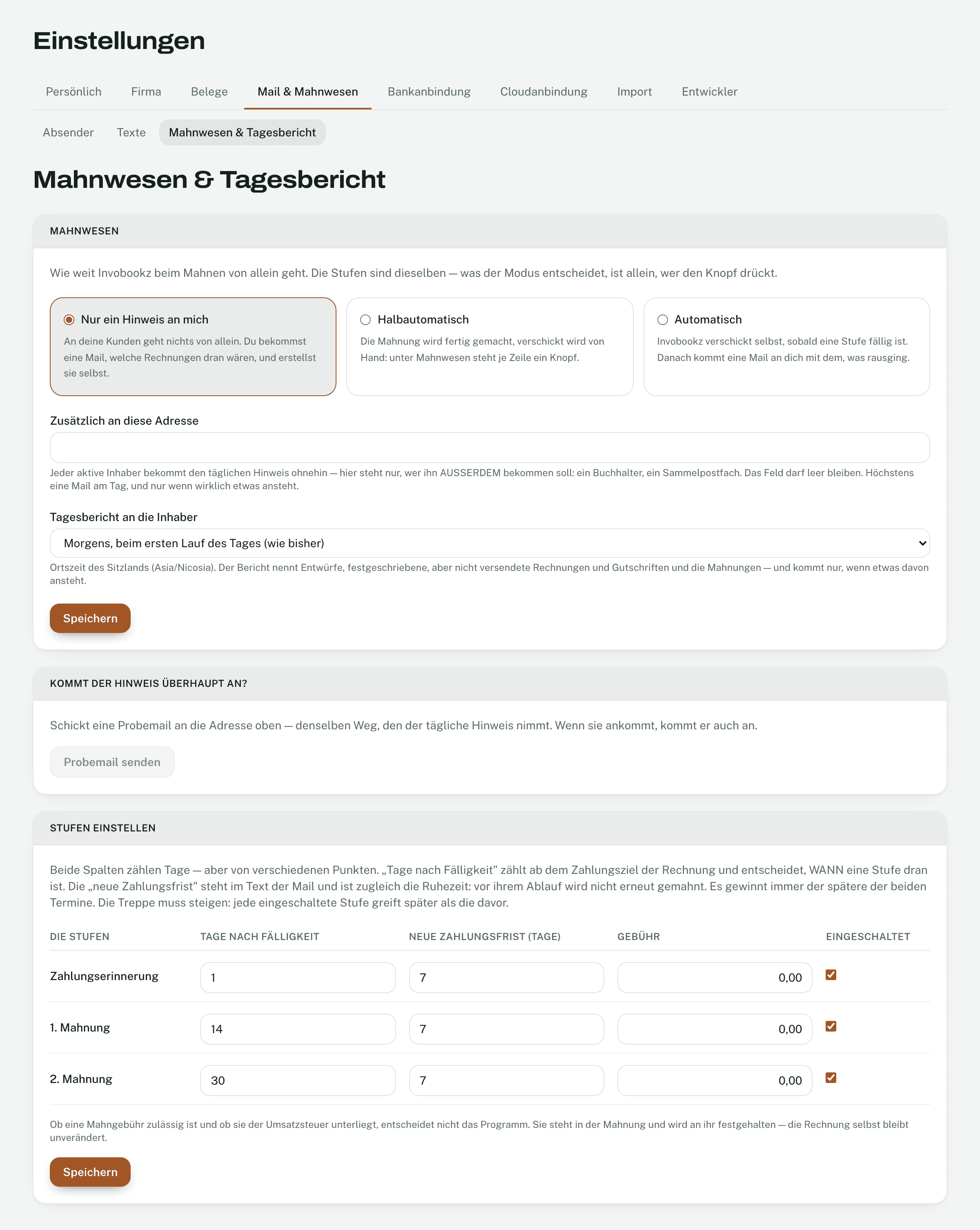
| Payment reminder | 1 day after due date | 7 days |
| First reminder | 14 days after due date | 7 days |
| Final notice | 30 days after due date | 7 days |
- The stages come in order; none is skipped. After each one the invoice rests for the deadline set.
- Under Settings → Email & dunning → Dunning & daily report you set the days after due date, the new deadline and a fee per stage, or switch it off. By default no stage costs anything; Invobookz does not charge interest.
How much Invobookz does itself
- Just tell me (default): nothing goes to your customers. You get an email listing which invoices would be due.
- Semi-automatic: Invobookz prepares the text; you click Send per invoice under Reminders.
- Automatic: Invobookz sends the due stage itself, checked hourly.
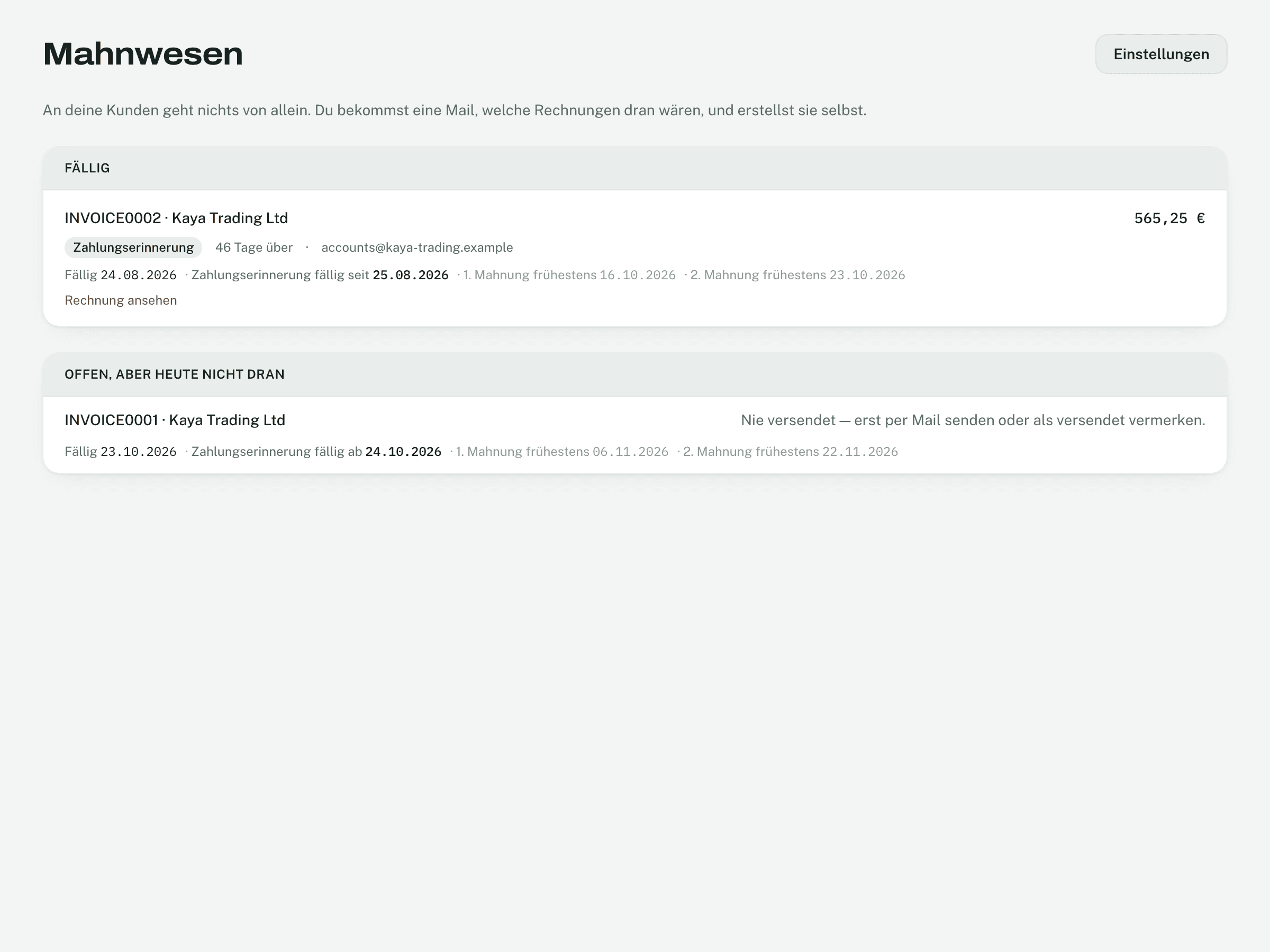
Under Reminders you see what is due today — and below it what is open, but not due today, with the reason (deadline still running, never sent …).
Every stage can also be sent by hand: on the invoice via Send by email, occasion payment reminder or reminder. Without an email address on the customer, no reminder goes out.
Texts and fees
- Settings → Email & dunning → Texts: the email texts per occasion, in formal German, informal German and English, with placeholders such as amount, due date and new deadline. Reset to the built-in text brings the original back.
- A fee is recorded on the reminder, not on the invoice. It can be waived with a reason.
The daily report
Once a day — only if something is pending — the owners get an email: drafts, finalised but unsent invoices and what is due in dunning. You set the time, and an extra address (Also send it to). Send test message shows what it looks like. It comes in the language you chose under Settings → Personal → Appearance.
Pausing reminders for a single customer is not possible. For a break, switch to Just tell me.
Not found what you are looking for? In Invobookz, click Support at the bottom left — we answer in the app.