Reconciling with your bank statement
Every line of the bank statement gets its counterpart — an invoice, a receipt or a reason. That shows you what is paid and which receipt is missing.
Last checked against the program: 09/10/2026
Import the bank statement
- Download the statement from your bank: CAMT.053 (XML, any European bank) or the Revolut Business CSV.
- Open Bank statements, choose the file — up to 24 at once — and click Import.
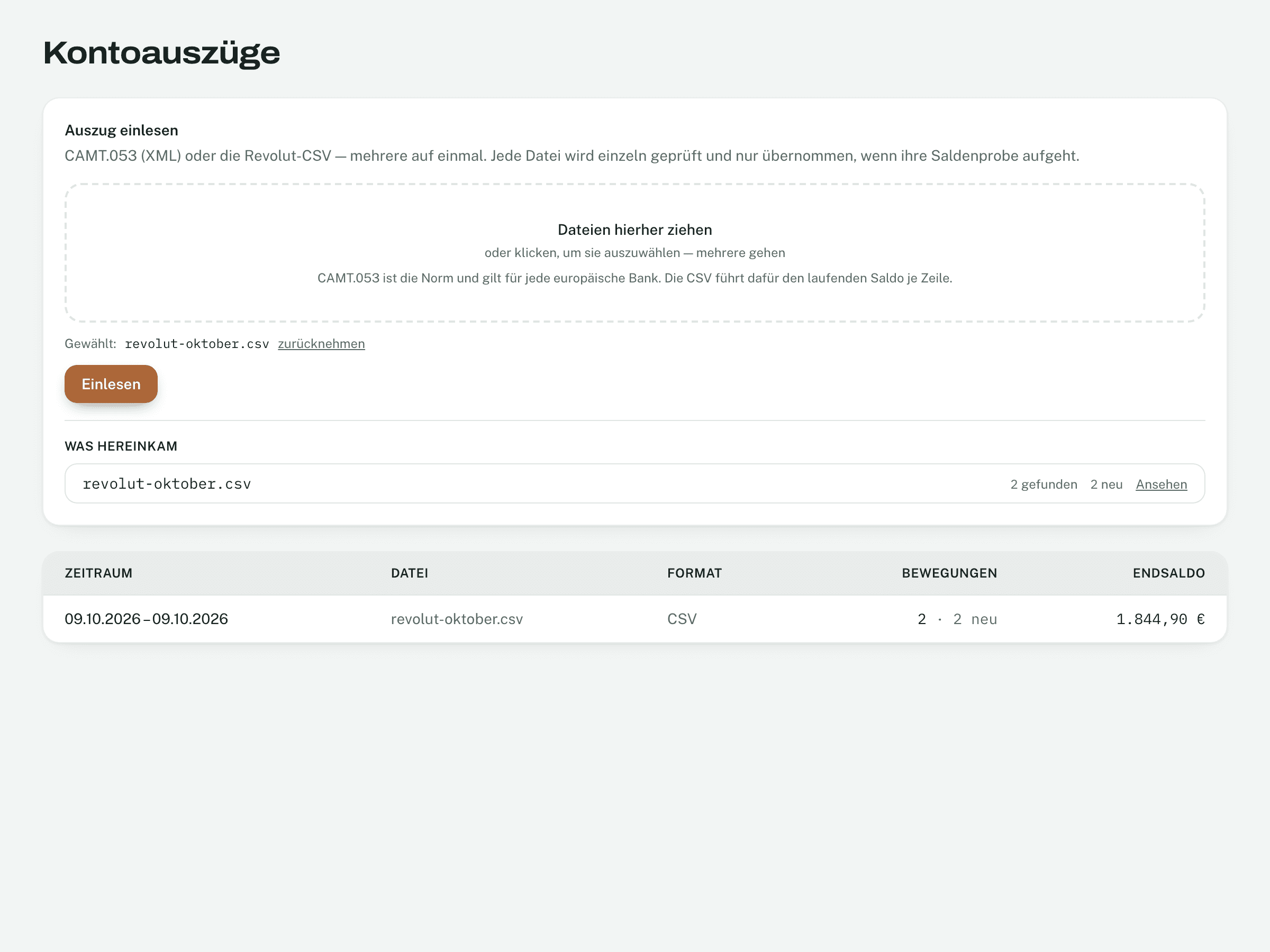
- Invobookz checks the balance: opening balance plus movements must equal the closing balance. If it does not, the file is not imported.
- Importing the same file twice does no harm: lines already there are recognised by the bank’s reference.
- With Revolut Business (Grow plan or higher) it also works without a file: connect under Settings → Banking → Bank, and Invobookz fetches the transactions hourly. Revolut asks for a new consent every 90 days.
Assign
Open Reconciliation. Choose the month at the top; the counters tell you where you stand: Receipt missing, Entry missing, done.
Nothing is assigned by itself. Invobookz suggests — you decide.
- Expenses are found by amount (to the cent), date (± 5 days) and merchant name. If nothing is close, a match further away is offered below.
- Incoming payments are found by the invoice number in the reference, the customer name and the amount — including a dunning fee.
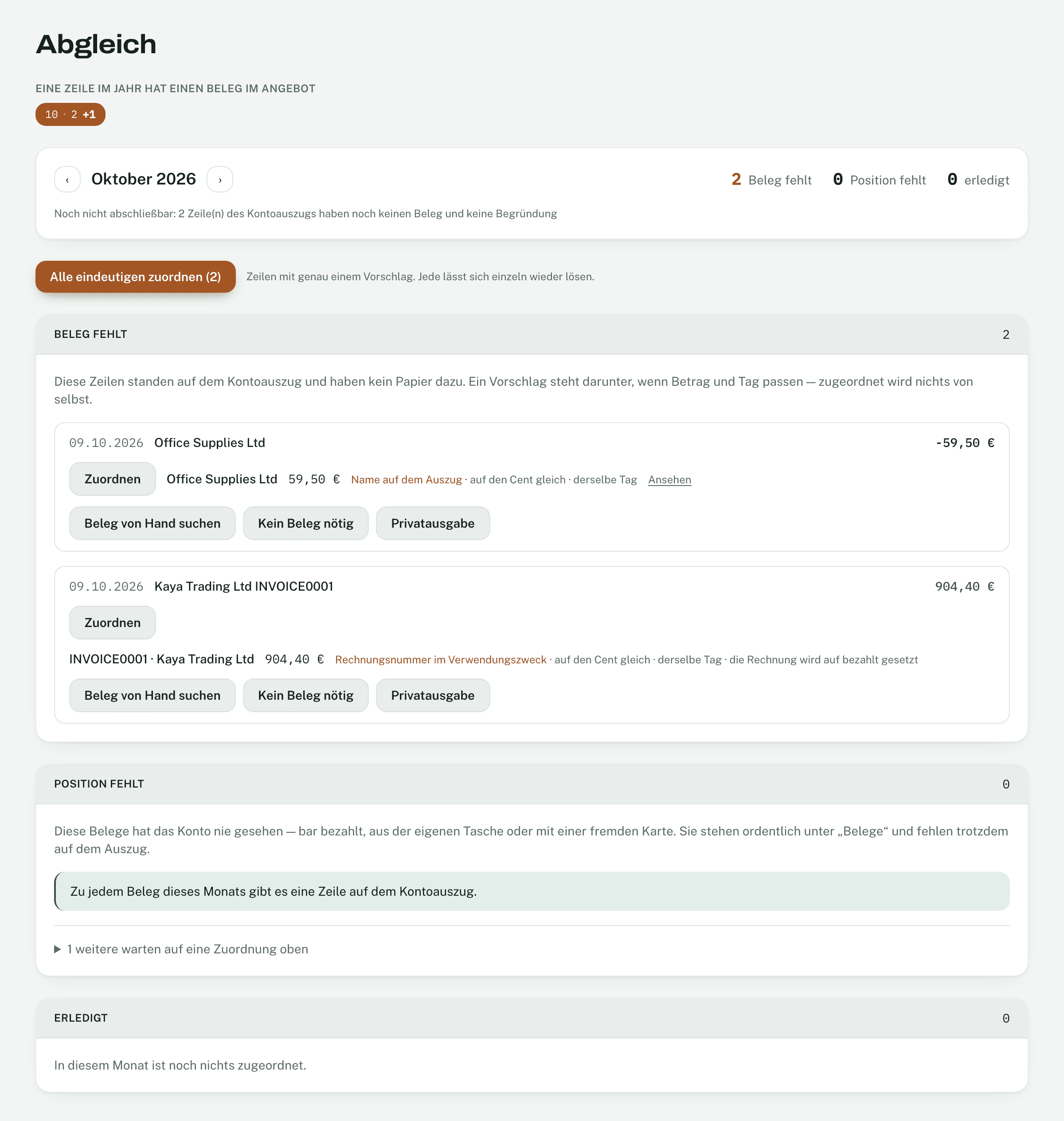
- Click Assign on a suggestion — or Assign all unambiguous for every line with exactly one suggestion.
- No suggestion? Pick a receipt by hand.
- Does the line need no receipt (fee, tax payment, transfer)? No receipt needed — with a reason.
- Paid privately from the business account? Private expense.
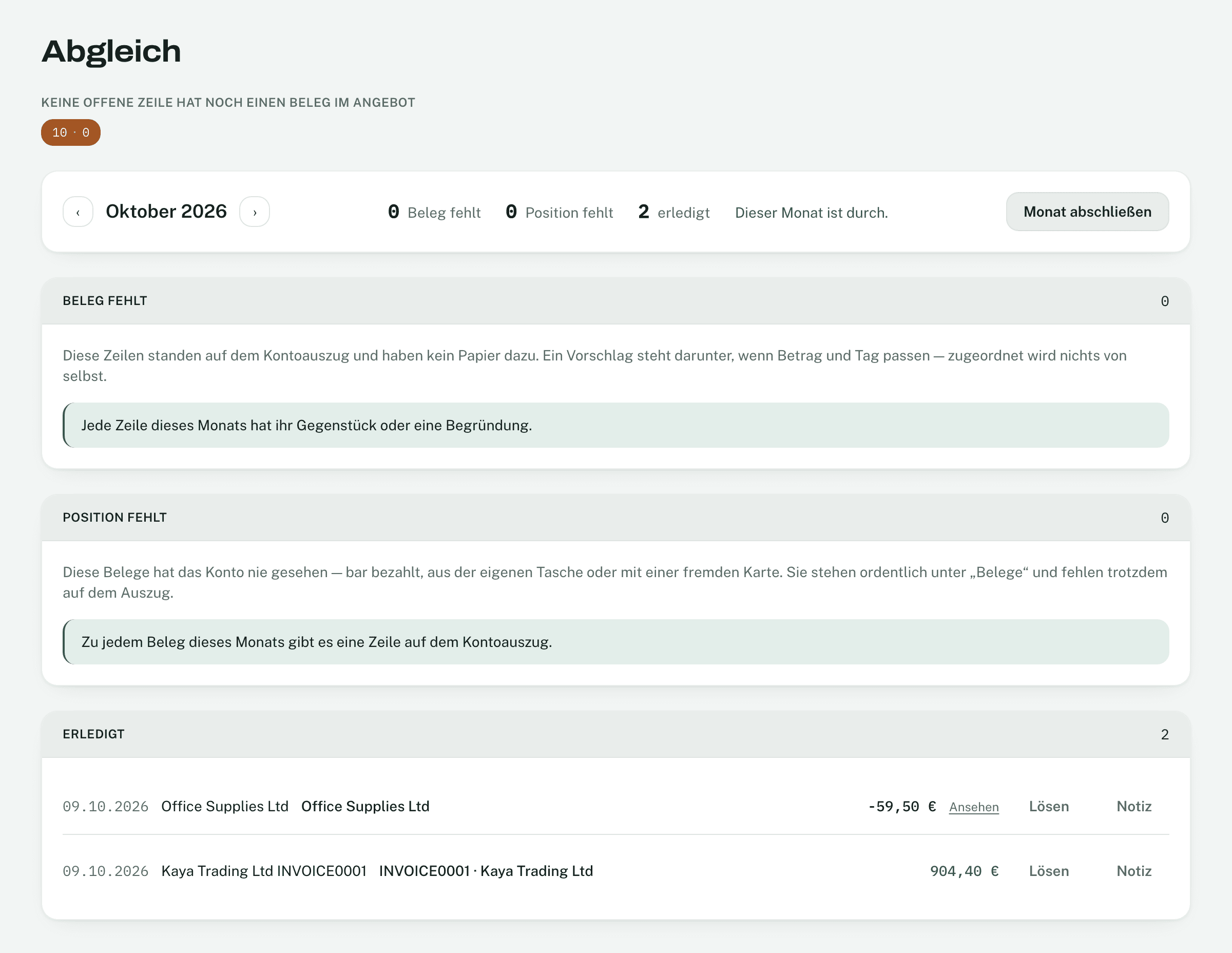
When an invoice is assigned, it counts as paid — with the booking day as payment date. Release undoes an assignment.
Entry missing: receipts without a bank line
Under Entry missing are receipts the account never saw. Say how they were paid: Paid in cash, Paid privately, Netted off or Not a business expense.
Close the month
Once everything is assigned, click Close month. After that the bank lines and the amounts, dates and VAT of that month’s receipts can no longer be changed — so what you filed stays as it was. Notes on a line still work.
- As long as something is open, it says Not ready to close with the reason.
- If you do need to change something: Reopen, change, close again. Both are logged.
The month bar at the top shows for each month how many lines are still open and how many of them already have a suggestion.
Not found what you are looking for? In Invobookz, click Support at the bottom left — we answer in the app.